 how-to
Best Drone Flight Patterns for Precision Agriculture Mapping
Table of Contents
- Understanding Drone Flight Patterns for Agricultural Mapping
- Grid Pattern: The Foundation of Agricultural Drone Mapping
- Crosshatch Drone Flight Pattern for Enhanced Data Coverage
- Boundary-Following Patterns and Terrain-Adaptive Routes
- Creating an Agricultural Drone Mapping Flight Plan
- Drone Image Overlap for Mapping: Critical Capture Settings
- Environmental Factors That Affect Flight Quality
- Validating Your Data and Troubleshooting Common Issues
- Frequently Asked Questions
Last Updated: October 16, 2026
Understanding Drone Flight Patterns for Agricultural Mapping
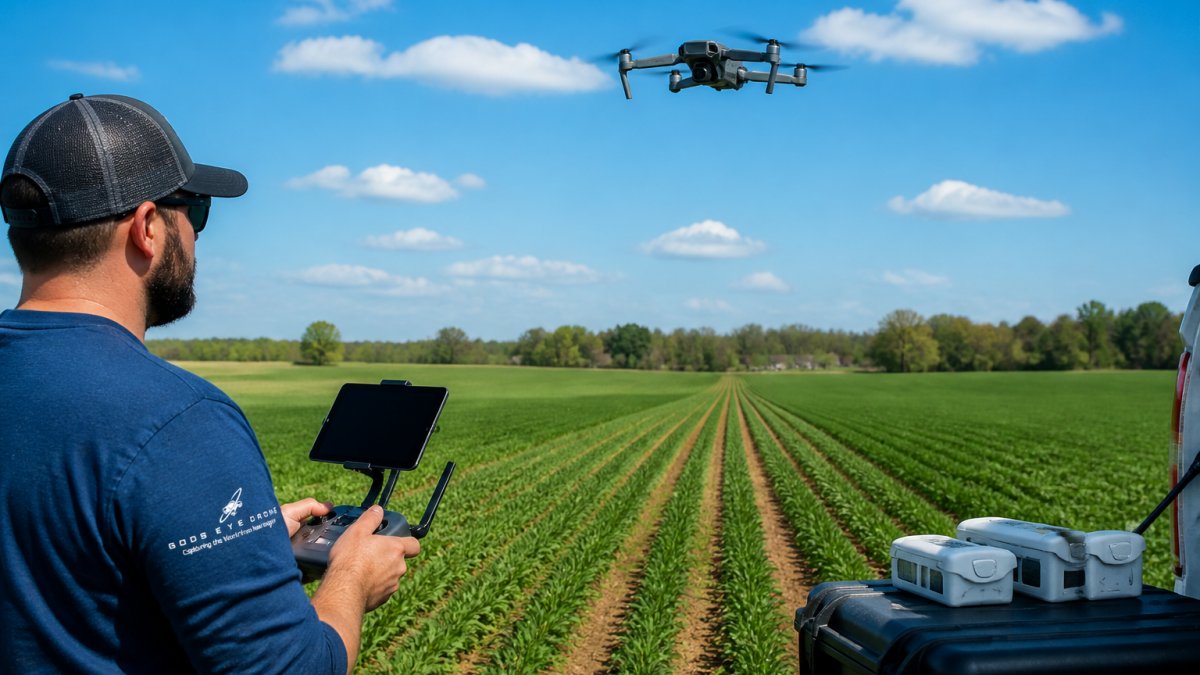
Precision agriculture depends on clean, consistent data. The best drone flight patterns for precision agriculture mapping deliver that data by covering fields systematically and capturing images with enough overlap to create accurate orthomosaics and vegetation indices.
At Gods Eye Drone, we've worked with farmers and agricultural managers across the region to understand what separates a useful flight from one that wastes time and battery.
Three main patterns dominate agricultural drone work. Grid patterns provide the foundation. Crosshatch patterns add redundancy. Boundary-following routes adapt to irregular fields. Each has tradeoffs.
Grid Pattern: The Foundation of Agricultural Drone Mapping
A grid pattern flies the drone back and forth across your field in parallel lines, like mowing a lawn. It's the most common approach for a reason: it's reliable, predictable, and generates consistent image overlap.
The drone starts at one field corner, flies to the opposite corner, then returns parallel to the first pass. This repeats until the entire field is covered. The result is a set of image strips with controlled overlap in both directions.
When Grid Patterns Work Best
Grid patterns excel for rectangular fields with minimal obstacles. They work well for fields under 100 acres where you can complete the mission in one battery cycle. They're ideal when your primary goal is crop health monitoring, stand counts, or yield prediction.
Use grid patterns when:
- Your field is relatively flat and rectangular
- You need consistent image spacing across the entire area
- Processing speed matters (grids process faster than complex routes)
- You're using multispectral sensors for vegetation analysis
- You want the simplest, most repeatable flight profile
Grid patterns struggle with irregularly shaped fields, obstacles like trees or power lines, or terrain with significant elevation change. In those cases, you'll need to adapt or switch patterns entirely.
Grid Setup and Execution
Start by defining your field boundary in your mapping software. Most platforms (DJI Terra, PIX4Dfields, or similar tools) let you draw or import the boundary as a polygon.
Next, set these parameters:
- Flight altitude: 200-400 feet above ground level for most crop work (we'll detail altitude selection below)
- Front overlap: 75-80% (images overlap front-to-back along the flight direction)
- Side overlap: 65-75% (images overlap side-to-side between parallel lines)
- Flight speed: 25-35 mph for multispectral work, up to 45 mph for RGB-only missions
The software calculates the number of passes and total flight time. Review the waypoint path on your map. Check for obstacles, power lines, or terrain that might interfere.
Before launching, verify:
- Battery is fully charged
- Weather is calm (wind under 10 mph is ideal for mapping)
- GPS signal is strong (wait for at least 10 satellites)
- Camera gimbal is level and secure
Launch from the lowest point in your field when possible. This maximizes altitude above ground for the entire mission. Start the recording before the first waypoint, and don't stop recording until you land.
Crosshatch Drone Flight Pattern for Enhanced Data Coverage
A crosshatch pattern flies the grid, then flies the same grid rotated 90 degrees. You get two complete image sets of the field from perpendicular angles.
This pattern captures more detail and provides redundancy. If one pass has motion blur or a camera glitch, the perpendicular pass often compensates. Crosshatch patterns are especially valuable for dense crops where vegetation shadows can obscure detail from a single angle.
Crosshatch Advantages and Limitations
Crosshatch patterns double your image dataset. This improves orthomosaic quality, especially in areas with tall vegetation or uneven terrain. The perpendicular coverage catches details the initial grid might miss.
The tradeoff is obvious: you fly twice as long. A grid mission might take 35 minutes; crosshatch takes 70 minutes. You'll need two full battery cycles or a spare battery pack. Processing time also doubles.
Use crosshatch when:
- Your crop is dense or tall (corn, sorghum, sunflowers)
- Terrain is hilly or uneven
- You need maximum detail for stand counting or pest detection
- You have time and battery capacity
- Your field has obstacles that might create shadows or gaps
Skip crosshatch if:
- Your field is small and flat
- Battery capacity is limited
- You're doing a quick health check rather than detailed analysis
- Wind is forecast to increase later in the day
For most rectangular fields under 50 acres, a single grid pass with proper overlap delivers 90% of the value of a crosshatch.
Boundary-Following Patterns and Terrain-Adaptive Routes
Boundary-following patterns trace the perimeter of your field, then spiral inward or outward. These work well for irregularly shaped fields: triangular parcels, L-shaped properties, or fields with internal obstacles.
Some mapping software also offers terrain-adaptive modes. The drone maintains constant altitude above ground rather than constant altitude above sea level. This is critical for hilly terrain.
Boundary-following routes are more complex to plan but deliver better results in challenging terrain. They reduce wasted flight time over non-field areas and adapt the flight path to your actual field shape rather than forcing a rectangular grid onto an irregular boundary.
Creating an Agricultural Drone Mapping Flight Plan
A solid flight plan is the difference between usable data and a wasted battery. Start by importing your field boundary into your mapping software. Most platforms accept GPS coordinates, shapefile imports, or manual polygon drawing.
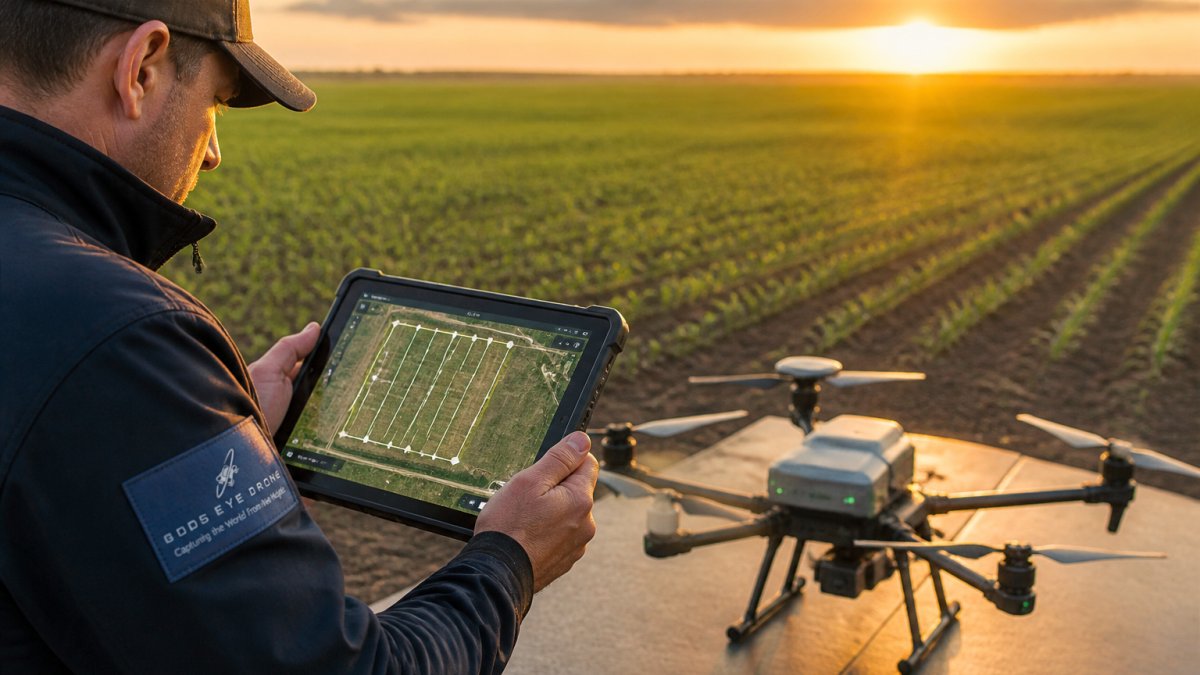
Set your primary objective. Are you monitoring crop health, counting plants, detecting pests, or assessing irrigation? Your objective drives altitude, sensor choice, and overlap requirements.
Pre-Flight Checklist and Mission Parameters
Before every flight, work through this checklist:
- Field boundary is accurate and imported into software
- Weather forecast shows wind under 12 mph and clear skies
- GPS signal is strong (10+ satellites acquired)
- Battery is fully charged and within normal operating temperature
- Camera lens is clean and gimbal is level
- SD card has space for the entire mission
- Drone firmware is current
- Flight plan is reviewed and shows expected flight time
- Takeoff and landing areas are clear of obstacles
- You have line-of-sight to the drone throughout the mission
Mission parameters to set:
- Grid or crosshatch: Choose based on field shape and crop type
- Altitude: Set for your sensor and crop (see next section)
- Front overlap: 75-80% for multispectral, 70% for RGB
- Side overlap: 65-75%
- Flight speed: 25-35 mph for precision, up to 45 mph if speed matters more than detail
- Camera angle: Nadir (straight down) for mapping; 45 degrees for structural inspection
Setting Drone Mapping Altitude for Crops
Altitude determines ground sampling distance (GSD), which is the size of each pixel on the ground. Lower altitude means smaller pixels and more detail. Higher altitude covers more area per battery but loses detail.
For most crop work, fly between 200-300 feet above ground level. This delivers GSD of 0.5-1 inch per pixel, which is precise enough for stand counting and vegetation analysis.
Use higher altitudes (350-400 feet) if:
- Your field is large and you want to maximize coverage per battery
- Your sensor has a wide field of view
- You're doing broad health monitoring rather than detailed analysis
Use lower altitudes (150-200 feet) if:
- You need fine detail for pest detection or disease identification
- Your field is small
- You're using a narrow-field sensor
Wind matters more at lower altitudes. At 150 feet, a 10 mph wind is noticeable. At 400 feet, the same wind has less effect on image sharpness.
Drone Image Overlap for Mapping: Critical Capture Settings
Image overlap is what makes orthomosaics possible. Without enough overlap, the software can't stitch images together. Too much overlap wastes battery and storage.
Front and Side Overlap Requirements
Front overlap (along the direction of flight) should be 75-80%. This means each image overlaps with the next one by 75-80%. Side overlap (between parallel flight lines) should be 65-75%.
These percentages matter because the software uses overlapping areas to align images and remove distortion. With less overlap, alignment fails. With more overlap, you're flying longer and wasting battery.
Most mapping software calculates the required number of passes and waypoints based on your overlap settings. If your software shows 18 passes for 75% overlap, don't reduce it to 15 to save time.
Ground Sampling Distance and Resolution
Ground sampling distance (GSD) is the size of each pixel on the ground, measured in inches or centimeters. A GSD of 0.5 inches means each pixel represents a 0.5-inch square on the ground.
Lower GSD (finer detail) requires lower altitude. A GSD of 0.5 inches requires flying at about 150 feet. A GSD of 1 inch requires about 300 feet.
For crop analysis, target GSD between 0.75-1.5 inches. This is precise enough to identify plants, count stands, and detect major pest damage, without requiring extremely low altitude flights that consume battery quickly.
| Altitude | GSD | Best Use | Flight Time Impact |
|---|---|---|---|
| 150 feet | 0.5 inch | Detailed pest detection | High battery use |
| 250 feet | 0.8 inch | Stand counting, disease | Moderate battery use |
| 350 feet | 1.2 inch | Crop health, yield | Low battery use |
| 500 feet | 1.8 inch | Broad overview | Very low battery use |
Environmental Factors That Affect Flight Quality
Wind is the primary enemy of mapping flights. Wind causes image blur, drift, and inconsistent spacing. Fly when wind is under 10 mph.
Lighting matters too. Fly in mid-morning or mid-afternoon when the sun is high enough to minimize shadows.
Terrain elevation changes affect your flight. If your field slopes significantly, use terrain-adaptive mode so the drone maintains constant altitude above ground.
Obstacles like power lines, trees, or buildings require buffer zones. Most software lets you set a safety altitude above obstacles. Set it conservatively.
Validating Your Data and Troubleshooting Common Issues
After your flight, check the image count and file sizes before leaving the field.
Back at the office, load your images into processing software. The software will attempt to align and stitch them into an orthomosaic.
Common issues and fixes:
- Gaps in orthomosaic: Refly the missing area with increased overlap
- Blurry images: Wind was too strong; refly in calmer conditions
- Misaligned sections: Overlap was too low; increase front and side overlap and refly
- Color inconsistency: Lighting changed during flight; fly earlier or later for more consistent sun angle
- GSD is coarser than expected: You flew higher than planned; reduce altitude and refly
For agricultural work, Gods Eye Drone recommends keeping detailed flight logs. Record altitude, overlap settings, flight time, weather conditions, and any issues.
Precision agriculture depends on reliable, repeatable data collection. The best drone flight patterns for precision agriculture mapping aren't one-size-fits-all. They adapt to your field shape, crop type, and mapping objective.
Frequently Asked Questions
What flight pattern is best for agricultural drone mapping?
Grid patterns are the industry standard for most rectangular or regular-shaped fields because they ensure uniform image overlap and consistent ground sampling distance. Crosshatch patterns add perpendicular passes to improve orthomosaic accuracy and reduce shadows. Boundary-following patterns adapt to irregular field shapes and reduce wasted flight time. Choose grid for speed and simplicity, crosshatch for maximum precision agriculture data, and boundary patterns for complex terrain or non-rectangular fields.
How much image overlap is needed for drone mapping?
Front overlap (direction of flight) should be 75-85% for agricultural mapping, while side overlap (between parallel flight lines) should be 60-75%. These overlap settings ensure accurate orthomosaic stitching and reliable vegetation index calculations. Higher overlap improves accuracy but increases flight time and data volume. Lower overlap risks misalignment and gaps in multispectral crop monitoring data. Adjust based on your mapping software's requirements and desired ground resolution.
How high should a drone fly to map a farm field?
Typical agricultural mapping altitudes range from 120 to 400 feet above ground level, depending on your ground sampling distance target and sensor. Flying at 250 feet achieves approximately 1-inch ground resolution on most multispectral cameras, suitable for crop health and stand-count analysis. Higher altitudes (350-400 feet) cover larger areas per pass but reduce image detail. Lower altitudes (120-180 feet) capture finer detail for pest detection or irrigation analysis but require more flight time. Wind, obstacle clearance, and regulatory restrictions also influence safe operating altitude.
When should you use a crosshatch flight pattern for crop mapping?
Crosshatch patterns are ideal when you need high-accuracy orthomosaics, are mapping high-value crops, or require multispectral vegetation indices for precision fertilizer or irrigation decisions. The perpendicular passes eliminate directional shadow bias and improve geometric accuracy. Use crosshatch for detailed stand-count surveys, disease detection, or when competing with satellite data quality. For routine monitoring or large acreage with time constraints, a single-direction grid may suffice. Crosshatch doubles flight time but significantly improves data reliability.