 how-to
Using NDVI Imagery for Early Pest Detection
Table of Contents
- What NDVI Is and How It Detects Vegetation Stress
- Drone Multispectral Imaging for Agriculture
- Interpreting NDVI Maps to Spot Pest Hotspots
- NDVI vs. RGB Imagery for Crop Monitoring
- Ground-Truthing Crop Stress With Field Scouting
- Step-by-Step Workflow: From NDVI Imagery to Pest Intervention
- Common Mistakes and Detection Limits
- Frequently Asked Questions
Last Updated: October 14, 2026
What NDVI Is and How It Detects Vegetation Stress
NDVI stands for Normalized Difference Vegetation Index. It's a numerical measure that uses satellite or drone imagery to assess plant health by comparing how vegetation reflects red and near-infrared light. Healthy plants absorb red light for photosynthesis but reflect most near-infrared light.
The math is simple: NDVI = (Near-Infrared − Red) / (Near-Infrared + Red). The result is a number between −1 and +1. Values closer to +1 indicate dense, healthy vegetation. Values near 0 or negative suggest bare soil or dead plants. This is why using NDVI imagery for early pest detection works so well.
How NDVI values reveal crop health
NDVI values map directly to plant vigor. A field with uniform, high NDVI values (typically 0.6 to 0.9) shows healthy crops. When a pest infestation starts, affected plants drop chlorophyll production. That drop reduces near-infrared reflectance. The NDVI value falls, sometimes by 0.2 to 0.4 points, in just days or weeks.
The key advantage: this happens before you'd spot damage walking the field. Pests like spider mites, armyworms, and aphids feed on leaves and reduce photosynthetic capacity. NDVI catches that stress signal early. You get a head start on treatment.
Why pest damage shows up on NDVI maps
Pest feeding disrupts the plant's ability to absorb and process light. When insects chew leaves or suck sap, they reduce leaf area and chlorophyll content. Both factors lower near-infrared reflectance. The multispectral sensors on drones detect this change across the red and near-infrared bands.
Disease and nutrient deficiency also show on NDVI maps, which is why field scouting matters. A nutrient-deficient plant and a pest-damaged plant may look similar on an NDVI map. Ground-truth validation separates them.
Drone Multispectral Imaging for Agriculture
Multispectral sensors capture data across multiple wavelengths simultaneously. Standard RGB cameras (like those on consumer drones) capture only three bands: red, green, and blue. Multispectral cameras add near-infrared and sometimes additional bands. This expanded data set is what makes NDVI calculation possible.
Multispectral sensors vs. standard RGB cameras
RGB cameras are useful for visual inspection and mapping. They show what your eyes would see from above. Multispectral sensors go deeper. They measure plant physiology, not just appearance.
For pest detection, multispectral is essential. Early-stage pest damage often leaves no visible marks on leaves. RGB imagery misses it entirely.
At Gods Eye Drone, we use state-of-the-art multispectral equipment to capture the spectral data your crops need. Our certified pilots collect imagery with the precision required for reliable NDVI analysis and early pest intervention.
Resolution and timing for pest-specific detection
Spatial resolution matters. A 1-meter pixel can hide a localized pest outbreak. A 10-centimeter pixel catches small infestations early. Revisit frequency matters equally.
Timing also depends on the pest and crop. Corn armyworms cause visible NDVI changes within 7 to 14 days of infestation. Spider mites may take 10 to 21 days.
Cloud cover and atmospheric conditions affect multispectral data quality. Clear-sky flights produce the most reliable NDVI maps. Plan flights during stable weather windows.
Interpreting NDVI Maps to Spot Pest Hotspots
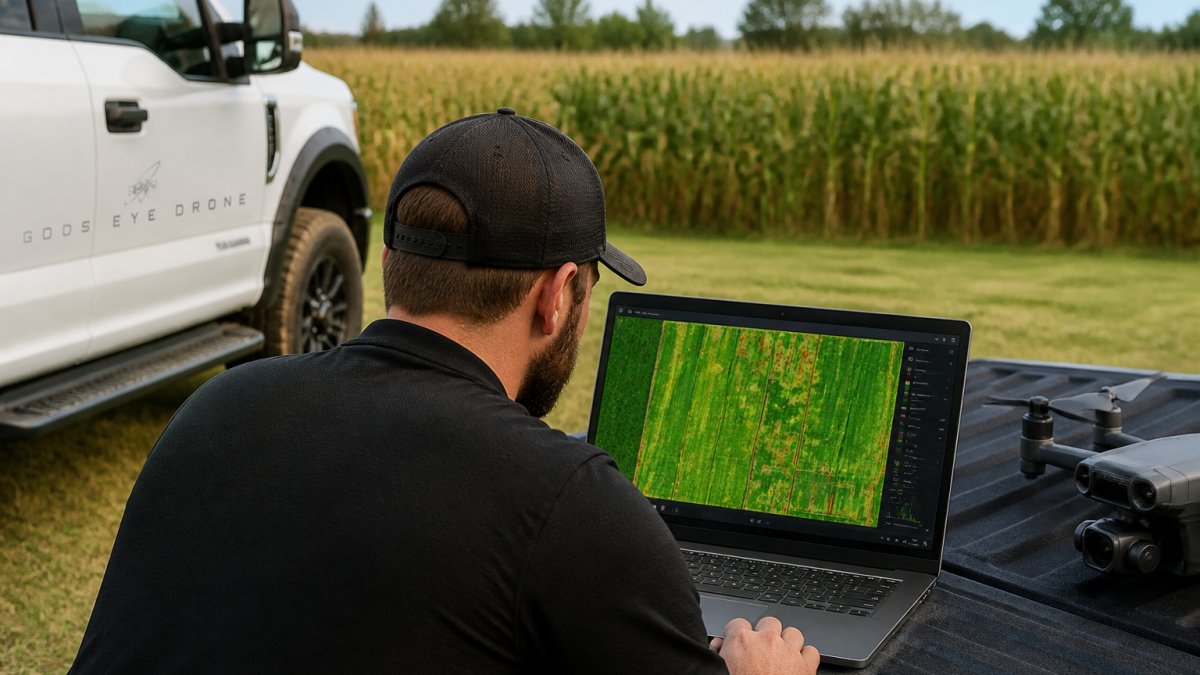
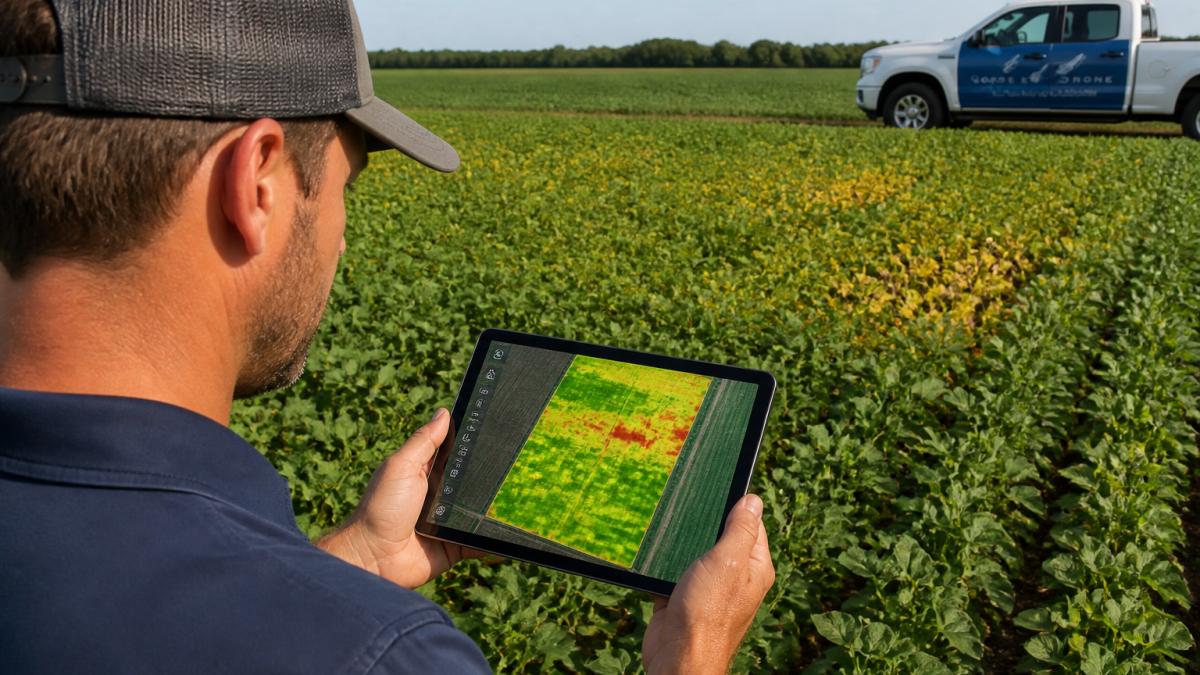
NDVI maps use color scales to show vegetation health at a glance. The standard scale runs from red (low NDVI, stressed) through yellow and light green to dark green (high NDVI, healthy). Some tools use custom scales. Learn your software's color scheme before analyzing maps.
Reading NDVI color scales and baseline comparisons
A baseline is your reference. Collect NDVI data early in the season when the crop is healthy and pest-free. That baseline NDVI value becomes your benchmark. Later maps are compared against it.
Baseline comparisons also account for natural variation. Soil type, topography, and irrigation patterns create legitimate NDVI differences across a field. Comparing current maps to your own baseline removes this noise. You focus on anomalies, areas that dropped unexpectedly.
Color-coded maps make anomalies obvious. Stressed zones appear as warm colors (yellow, orange, red) surrounded by green. That contrast is your visual cue to investigate further.
Distinguishing pest damage from drought and nutrient stress
Three main stressors lower NDVI: pests, drought, and nutrient deficiency. All reduce chlorophyll and reflectance. Your NDVI map alone cannot tell them apart. Field scouting does.
Drought stress typically affects the entire field uniformly or follows topographic patterns (low areas stay wetter). Pest damage clusters in patches, sometimes small, sometimes spreading. Nutrient deficiency often follows soil variation patterns or appears along field edges where soil differs.
Look at the spatial pattern first. Clustered, irregular stress zones suggest pests. Uniform stress across the field suggests drought. Banded stress along soil boundaries suggests nutrients.
NDVI vs. RGB Imagery for Crop Monitoring
RGB imagery shows the field as your eyes would see it. NDVI shows plant physiology. Both have roles in a complete monitoring program.
RGB is excellent for visual damage assessment, infrastructure inspection, and general field documentation. It's intuitive. Anyone can look at an RGB image and understand what they're seeing.
For early pest detection, NDVI wins. Pests cause physiological stress that shows on NDVI maps days or weeks before visible leaf damage.
A smart approach combines both. Use NDVI to find problem areas. Use RGB to document what you see in those areas.
Ground-Truthing Crop Stress With Field Scouting
An NDVI map is a hypothesis, not a diagnosis. Ground-truth validation confirms what the map suggests. This step is non-negotiable for reliable pest detection.
Validating NDVI anomalies in the field
When your NDVI map shows a stress hotspot, walk to that location. Examine the plants closely. Look for pest damage: chewed leaves, stippling, webbing, or visible insects. Check for disease symptoms: lesions, wilting, discoloration, or fungal growth. Assess soil moisture. Dig a few inches down. Is the soil dry, moist, or waterlogged?
Document what you find. Take photos. Note the pest species if present. Estimate damage severity: light (less than 10% leaf area affected), moderate (10-30%), or severe (over 30%). This ground data validates your NDVI interpretation and guides treatment decisions.
Confirming pest presence and damage severity
Not every NDVI anomaly is a pest. Some are nutrient deficiency, soil compaction, or irrigation issues. Ground scouting separates pests from other stressors. If you find insects and chewed leaves in the stressed zone, pest damage is confirmed. If the soil is dry and no insects are present, drought is the likely cause.
Damage severity also matters for treatment. Light pest pressure may not warrant intervention. Moderate to severe infestations usually do. Your NDVI map plus ground observations guide that decision.
Step-by-Step Workflow: From NDVI Imagery to Pest Intervention
This workflow turns NDVI data into actionable pest management decisions. Follow these steps to maximize early detection and minimize crop loss.
Step 1: Plan your flight and baseline collection
Schedule your first multispectral flight early in the growing season, ideally within 2 to 3 weeks of crop emergence. Conditions should be clear, no rain, low wind, and good visibility. Fly at a consistent altitude (typically 100 to 150 feet for agricultural drones) to ensure uniform resolution.
Establish your baseline NDVI map. This represents a healthy, pest-free field. Save it. Every future map will be compared to this baseline.
Step 2: Capture multispectral data and generate NDVI maps
Fly your field on a regular schedule. Weekly flights are ideal during peak pest season. Biweekly flights work for lower-risk periods. Consistent timing helps you detect changes quickly.
Use your drone's multispectral sensor to capture red and near-infrared bands across the entire field. Processing software (often bundled with your drone or available separately) calculates NDVI values and generates color-coded maps. Review the map immediately after processing. Look for any areas that differ significantly from your baseline.
Step 3: Identify stress anomalies and map hotspots
Compare your current NDVI map to your baseline. Areas with NDVI values 0.15 to 0.3 points lower than baseline are moderately stressed. Values 0.3 or more points lower indicate severe stress. Mark these zones on a field map.
Cluster nearby anomalies into hotspots. A single stressed plant is noise. A cluster of stressed plants in a 0.5-acre area is a real hotspot worth investigating.
Step 4: Scout the field and confirm pest damage
Visit each hotspot. Examine plants for pest damage, disease, or other stressors. Take photos. Identify the pest species if present. Estimate damage severity.
Check soil moisture. Is the soil dry, or is water adequate? Adequate soil moisture with visible pest damage confirms pest infestation. Dry soil with no insects suggests drought.
Document your findings. This ground-truth data validates your NDVI analysis and informs treatment decisions.
Step 5: Treat and monitor recovery
Based on your scouting, decide whether treatment is warranted. Light pest pressure in a small area may not justify intervention. Moderate to severe infestations usually do.
If you treat (whether with insecticides, biological controls, or other methods), schedule a follow-up NDVI flight 7 to 14 days later. Treated areas should show NDVI recovery. If NDVI values remain low or decline further, treatment failed or the stressor was misidentified. Investigate and adjust.
Common Mistakes and Detection Limits
Using NDVI imagery for early pest detection is powerful, but it has limits.
Skipping field validation. Many operators trust NDVI maps without scouting.
Ignoring baseline comparisons. NDVI values vary by soil type, topography, and management history.
Flying during poor conditions. Clouds, haze, and shadows reduce multispectral data quality.
Waiting too long between flights. Weekly flights catch pests in early stages.
Confusing correlation with causation. Low NDVI correlates with stress but doesn't identify the cause.
Detection limits also exist. NDVI works best for moderate-to-large infestations affecting 10% or more of plant biomass.
Cloud cover, atmospheric aerosols, and sensor calibration errors introduce noise.
Early pest detection saves crops and money. Our certified pilots deliver precise NDVI data and time-series analysis tailored to your crop and pest risks. Book Now to start using NDVI imagery for early pest detection and protect your yields.
Frequently Asked Questions
How can NDVI imagery help detect crop pests early?
NDVI imagery measures the difference between red and near-infrared light reflected by plants. Pests damage leaves and reduce chlorophyll, causing infected areas to reflect less near-infrared light. This creates visible stress patterns on NDVI maps before damage becomes obvious to the naked eye. Early detection allows you to treat infestations before they spread across your field, reducing yield loss and pesticide costs.
Can NDVI identify the specific pest damaging a crop?
NDVI shows that stress exists and where it's located, but it cannot identify which pest caused it. That's why ground-truthing is essential. Once you locate a stress hotspot on your NDVI map, you must scout the field in person to visually confirm the pest, assess damage severity, and decide on treatment. NDVI narrows your search area, saving time compared to scouting the entire field blindly.
How do you distinguish pest damage from drought or nutrient stress in NDVI images?
Pest damage typically appears as scattered, irregular hotspots concentrated in specific field zones, often following field topography or pest flight patterns. Drought stress shows as uniform decline across the entire field. Nutrient deficiency creates striped or patchy patterns tied to soil variation. Comparing current NDVI maps to your baseline and examining field history helps separate causes. Confirming the cause requires field scouting to check soil moisture, leaf color, and visible pest presence.
How often should farmers collect NDVI imagery during the growing season?
Collection frequency depends on your pest risk and crop stage. During peak pest pressure periods (typically mid-season), weekly or bi-weekly flights catch infestations early. Early and late season, monthly flights may be sufficient. Establish a baseline early in the season, then monitor for deviations. More frequent monitoring increases detection speed but also increases costs. Work with your drone service provider to balance your pest management goals with budget constraints.