 ultimate-guide
Advanced Thermal Imaging Techniques for Dense Forest Searches
Table of Contents
- Why Thermal Imaging Struggles in Dense Forests
- Thermal Imaging Limitations in Dense Vegetation
- Thermal Camera Settings for Search and Rescue
- Drone Thermal Imaging Search Patterns That Cover Ground
- Thermal Drone Search and Rescue Best Practices
- From Heat Signature to Ground Truth: Validation and False Positives
- Frequently Asked Questions
Last Updated: October 21, 2026
Why Thermal Imaging Struggles in Dense Forests
Advanced thermal imaging techniques for dense forest searches are powerful, but they are not magic. At Gods Eye Drone, we fly FLIR-equipped aircraft for search and rescue teams, and the first lesson we teach every ground crew is the same: the forest decides what your camera is allowed to see.
Thermal imaging is the process of capturing infrared radiation emitted by objects and converting it into a visual image, where warmer surfaces appear brighter than cooler ones. In open terrain, a human body stands out sharply against a cold field. Under a closed canopy, that contrast collapses.
How Canopy Blocks the Heat Signature
Leaves, branches, and needles intercept infrared energy from the forest floor. A person standing under a mature hardwood canopy may be entirely invisible from directly above, because the crown absorbs and re-emits heat at its own temperature.
The practical consequence matters more than the physics. Aerial thermal search works best when the sensor has a partial line of sight through gaps in the canopy, along roads, clearings, streams, and recently harvested stands.
Detection Probability: What the Canopy Actually Allows
Detection probability is the likelihood that a subject present in the search area will actually appear in your imagery. It falls sharply as canopy closure increases, and it varies with season, time of day, and the subject's clothing and posture.
A common approach among experienced teams is to treat canopy cover as a graded variable rather than a yes-or-no condition. Dense conifer stands, deciduous forest in full leaf, and open woodland each demand different altitudes, flight patterns, and expectations.
Thermal Imaging Limitations in Dense Vegetation
Thermal imaging limitations in dense vegetation go beyond simple occlusion. Three factors dominate, and each one changes how you plan a mission.
Thermal crossover. Around dawn and dusk, ground, vegetation, and human skin temperatures converge. Contrast between a subject and the background drops toward zero, and the image goes flat.
False positives from natural heat sources. Sun-warmed rocks, rotting logs, animal bedding, and recently disturbed soil all emit heat.
Thermal Camera Settings for Search and Rescue
Thermal camera settings for search and rescue determine whether a faint signature survives to the screen. The right configuration is not the one with the most detail; it is the one that makes a human body pop against vegetation. That means treating sensor choice and on-camera settings as one decision, not two.
Sensor Selection: Resolution, Sensitivity, and Lens
Most practitioners evaluate a thermal payload on four specifications, and each one trades against another.
- Detector resolution. A 640×512 sensor resolves smaller targets at a given distance than a 320×256 sensor, but it also costs more and produces more data to scan in real time. For dense forest work, where the subject may be a partial signature through a canopy gap, resolution buys you the ability to confirm a candidate without descending.
- Thermal sensitivity (NETD). Noise-equivalent temperature difference describes the smallest temperature difference the sensor can distinguish. Lower is better. A sensor with a low NETD holds contrast when the scene is flat, which is exactly the condition you fight at dawn and dusk.
- Lens field of view. A narrow lens resolves detail at distance but covers less ground per pass; a wide lens covers ground but smears small targets. Many teams fly a mid-FOV lens for the initial sweep and switch to a narrow lens to confirm candidates.
A useful rule of thumb: match the lens so that a human-sized target subtends enough pixels to be recognizable at your planned altitude. If you cannot state that number for your payload, you are guessing at coverage.
Palette, Gain, and Contrast That Reveal a Body
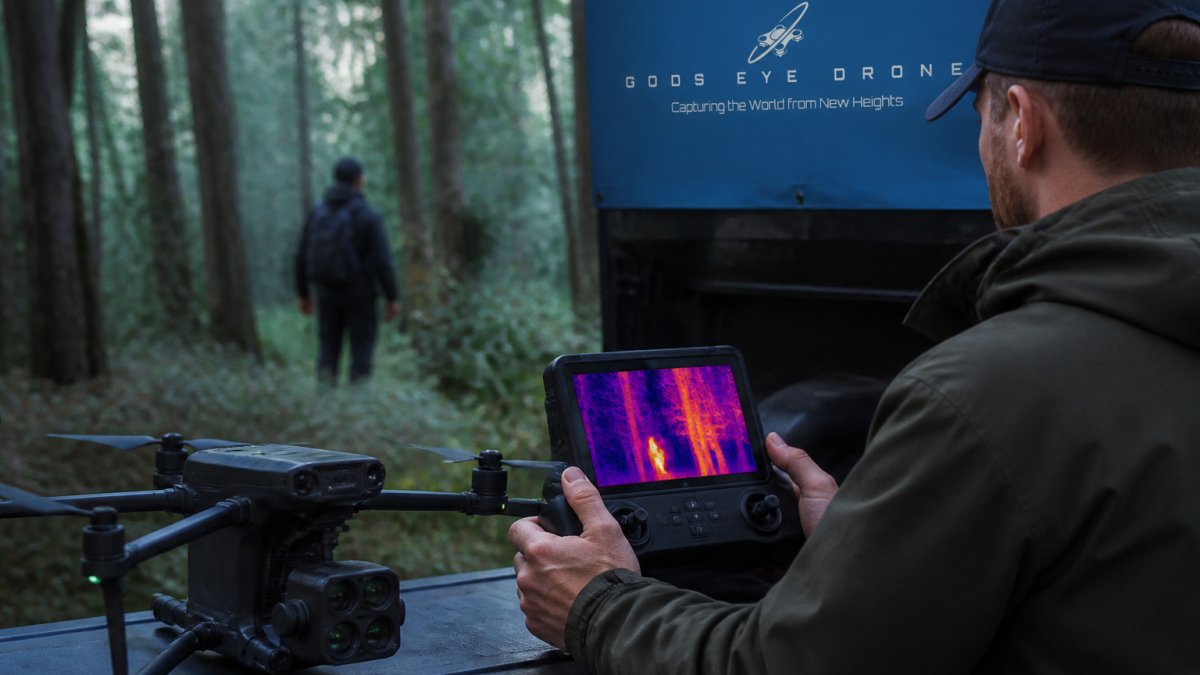
Start with a high-contrast palette such as white-hot or black-hot. Rainbow palettes look impressive in demos but slow down real-time scanning, because the eye has to interpret color bands instead of brightness. Set gain to manual once you know the background temperature range, so the camera does not auto-adjust and wash out a subject as you pan across a warm clearing.
| Setting | Recommended Starting Point | Why It Matters |
|---|---|---|
| Palette | White-hot or black-hot | Fastest human recognition of a body |
| Gain | Manual, tuned to background | Prevents auto-scaling hiding a faint subject |
| Contrast | High, adjusted per pass | Separates subject from vegetation clutter |
| Altitude | Low and slow over canopy gaps | Improves line of sight through openings |
| Overlap | Generous side overlap between passes | Catches signatures missed on a single track |
Calibration and Environmental Compensation
Thermal cameras drift. Most units benefit from a non-uniformity correction (NUC) before a mission and periodically during long flights, and many pilots perform a flat-field check against a uniform surface. If your camera supports it, log the ambient temperature and humidity at launch so you can interpret the imagery later. Emissivity differences between skin, clothing, bark, and wet rock all affect apparent temperature, and a subject in wet clothing can read cooler than expected.
Sensor resolution and lens choice also matter. A higher-resolution sensor with a narrower field of view resolves smaller targets at altitude, but it covers less ground per pass. Teams trade coverage for detail constantly, and there is no universal answer. Match the sensor to the size of the search area and the canopy density you expect.
Drone Thermal Imaging Search Patterns That Cover Ground
Drone thermal imaging search patterns should be chosen for the terrain, not copied from a manual. Dense forest rewards patterns that maximize line of sight through gaps and guarantee overlap between passes. The patterns below are the building blocks; the workflow that follows is how experienced teams actually sequence them.
Pattern Selection by Terrain
- Parallel lawnmower tracks across open stands and clearings, with generous side overlap so no strip is imaged only once.
- Contour-following passes along ridges and slopes, where canopy thins and sightlines improve.
- Road, trail, and stream corridors flown as dedicated lines, because these openings are where subjects are most likely to be visible and where lost persons often travel.
A common mistake is flying too high to cover ground quickly. Altitude buys coverage but costs resolution and line of sight, and over dense canopy the trade is rarely worth it. Fly lower over the areas that matter and accept slower progress.
A Practical Search Workflow for Dense Forest
A repeatable workflow beats improvisation, especially when multiple aircraft or ground teams are involved.
- Mission planning. Divide the search area into cells using a probability-of-area map, weighting roads, drainages, and edges where subjects are more likely to be found. Assign each cell a confidence target based on canopy closure.
- Sensor setup on the ground. Confirm palette, manual gain, and NUC before launch. Set the lens for the altitude you plan to fly and record the target-subtend calculation so the pilot knows what a recognizable signature looks like.
- Initial sweep. Fly the pattern that matches the cell: lawnmower over openings, contour lines along slopes, dedicated lines along corridors. Maintain generous side overlap so every point is imaged at least twice from slightly different angles.
- Scan technique. Slow the aircraft over canopy gaps and have the sensor operator scan in a consistent sweep rather than chasing bright spots. Pause, re-image, and log any candidate before moving on.
- Confirmation pass. Return to each candidate from a different angle or altitude, and cross-check with the color camera. If the signature persists and matches a plausible object, mark it for ground verification.
- Handoff. Pass coordinates, a description of the signature, and the imagery to ground teams. Record the outcome so the next mission's probability map improves.
Overlap, Altitude, and Coverage Math
Overlap is not a formality. In dense forest, a single pass images each point from one angle, and a canopy gap that hides a subject from that angle may reveal them from another. Plan side overlap generously and treat any strip imaged only once as unsearched. Altitude should be set by the resolution you need to recognize a human-sized target, not by the coverage you want per battery.
Coordinating Air and Ground
Search patterns only pay off when air and ground are synchronized. Ground teams should know which cells have been imaged, at what confidence, and where candidates were logged. Aerial passes should concentrate on terrain a subject is most likely to occupy, and ground teams should verify candidates rather than re-searching cleared cells. That division of labor is what turns a flight pattern into an actual search.
Thermal Drone Search and Rescue Best Practices
Thermal drone search and rescue best practices come down to timing, weather, and a disciplined division of labor between the air and the ground.
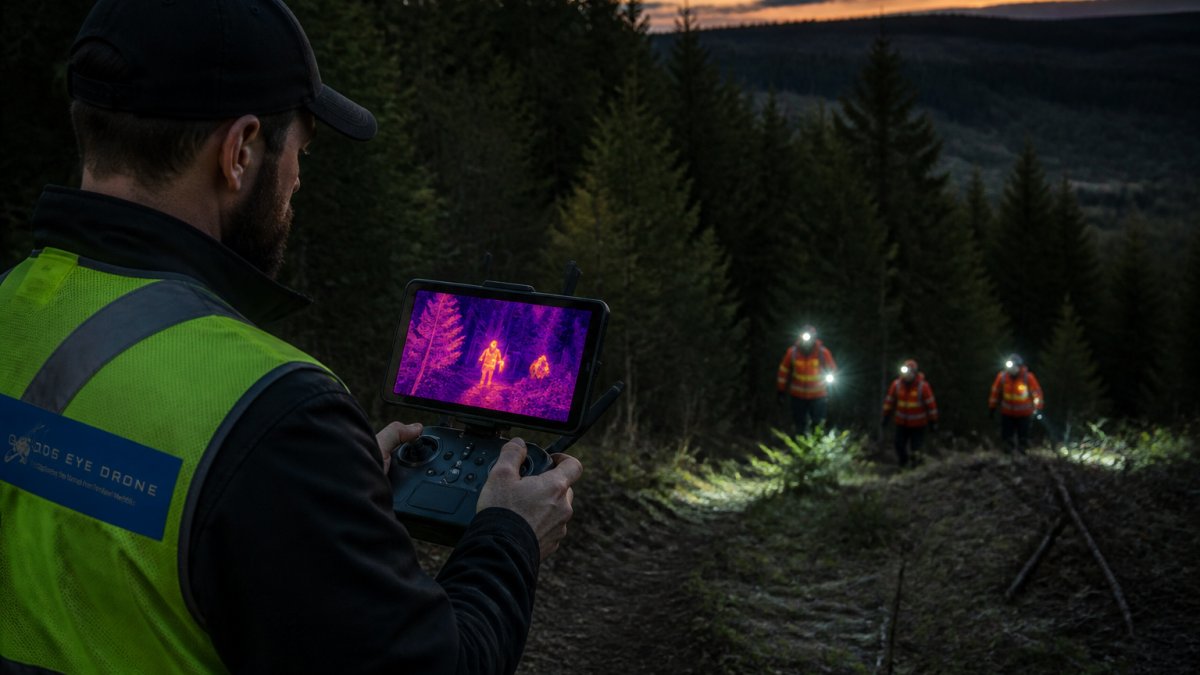
Timing, Weather, and Background Temperature
Background temperature is the temperature of everything that is not your subject, and it sets the contrast you have to work with. Cold, clear nights with low humidity give the best thermal contrast in forest.
Weather patterns also affect subject behavior. A lost person is likely to seek shelter, sit against a tree, or move along drainages, and those choices change where you should point the camera.
From Heat Signature to Ground Truth: Validation and False Positives
Validation is where aerial thermal work earns or loses its credibility. A bright spot on a screen is a hypothesis, not a find, and treating it as one wastes ground resources and erodes trust in the program.
Every candidate signature should be checked against a second pass, a different angle, or a second sensor.
False positives are normal and should be planned for, not treated as failure. Rotting logs, animal bedding, sun-warmed rock, and residual engine heat all produce signatures.
Where a signature survives validation, hand it to ground teams with precise coordinates and a description of what the camera saw. Ground truth is the only confirmation that counts.
Frequently Asked Questions
Can thermal imaging see through dense forest canopy?
No. Thermal imaging reads surface temperature, and a closed canopy hides the ground beneath it. Leaves and branches sit between the sensor and the person, so the heat signature is blocked or blended into the surrounding foliage. In practice, thermal imaging works best where gaps in the canopy, trails, clearings, and forest edges expose the ground. Dense vegetation reduces detection probability sharply, which is why flight planning should target openings and edges rather than assume the camera sees everything below.
How do drones use thermal cameras to find people in wooded areas?
A drone carries a thermal camera above the treeline and looks for heat contrast between a person and the cooler or warmer background. The pilot flies a planned pattern, watches the live feed for a human-shaped hotspot, then drops lower or switches to a color camera to confirm. Because the canopy limits the view, the drone is most useful over clearings, trails, and edges. Pairing the thermal feed with GPS logging lets ground teams move directly to the coordinates of a suspected hotspot.
What thermal camera settings work best for forest search and rescue?
Start with a high-contrast palette such as white-hot or black-hot so a body stands out clearly. Set the gain to manual once you know the approximate background temperature, which stops the camera from washing out when it passes over warm ground or sunlit leaves. Keep the span narrow around the expected body temperature range, and use the highest sensor resolution available so small targets stay visible from altitude. Adjust settings before launch, not mid-search, so the pilot can focus on the pattern.
When is the best time of day to use thermal imaging in a forest?
The strongest heat contrast usually comes in the hours after sunset and before sunrise, when the ground and canopy have cooled and a person's body heat stands out. Midday sun warms rocks, soil, and trunks, creating false hotspots that look like targets. Early morning also works well after a cold night. Plan flights around these windows when possible, and expect contrast to drop during rapid temperature swings such as a fast-moving front or sudden cloud cover.
How do weather and ground temperature affect thermal searches?
Weather changes the background temperature and therefore the contrast a thermal camera depends on. Wet ground, recent rain, and heavy dew can cool surfaces and improve contrast, while sun-baked soil and warm rocks create hotspots that mimic body heat. Wind cools exposed skin and can reduce a person's heat signature. Check the forecast and recent conditions before flying, and note that a person sheltered under vegetation may be cooler on the surface than expected, so a lower gain span helps.
How can search teams distinguish a person from wildlife or warm ground?
Look at shape, size, and movement. A person usually appears as an upright, compact heat signature, while deer and other wildlife show a different silhouette and often move in short bursts. Warm ground and rocks tend to be irregular and static across frames. Confirming with a high-resolution color camera, dropping altitude for a closer look, and checking whether the hotspot moves are the standard ways to rule out false positives before sending ground teams in.
Dense forest search work punishes guesswork and rewards preparation. If you need aerial thermal support for a search and rescue operation, our certified pilots fly FLIR-equipped aircraft and coordinate directly with ground teams. Gods Eye Drone provides thermal imaging, high-resolution color capture, and precise aerial inspection across real estate, agriculture, infrastructure, and emergency response work. Book now and put a higher perspective on your next mission.